

Power BI: What’s All the Fuss About?
Being a non techie myself, tools like Power BI, Power Automate, Power Apps etc, blew my mind when one of our trainers (Gordana Marinkovic), who is an absolute expert told me about their potential.
So, if there are any curious minds out there – Let’s explore this together.
The Scene we all know too well
Picture this: Maybe you own a café or restaurant and you’re trying to figure out which menu items are worth keeping. You know the popular sellers, but are they profitable? Some dishes fly out the door but require expensive ingredients and extra kitchen staff. Others have great margins but barely move. And then there are those “signature items” everyone expects – lower profit, but customers would notice if they disappeared. Right now, you’re piecing this together from gut feel, supplier invoices, and rough calculations. Wouldn’t it be better to see what’s working – profit percentages that account for ingredients, staffing time, equipment costs, and how quickly items sell?
Or it is budget season and someone in your finance team is buried under spreadsheets, copying and pasting data from five different sources, trying to create reports that are due yesterday.
Or perhaps it’s enrolment time at your school and the admin office is pulling student data from multiple systems, cross-referencing last year’s numbers, trying to spot trends and prepare reports for the education department.
Sound familiar?
These moments – drowning in data but starving for insights – are where Power BI comes into play.
Making sense of messy data
Here’s the thing about data: most organisations have plenty of it (I hoard data myself 🙄 running stats, Parkruns, plasma donations, expenses – subscriptions, retail therapies, electricity and fuel – the list goes on).
It’s just scattered everywhere. Spreadsheets on different people’s computers. Information in databases that don’t talk to each other. Reports saved in various folders. Some data updated daily, some monthly, some… whenever someone remembers.
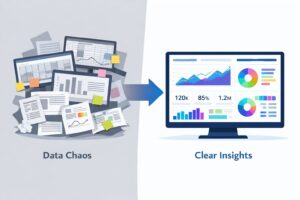
Power BI is Microsoft’s answer to this chaos. It pulls all that scattered information together and turns it into visual dashboards and reports that make sense.
Instead of staring at endless rows and columns trying to spot patterns, you see charts and graphs that show you what’s happening at a glance. Budget variances by department, student enrolment trends over five years, menu item profitability with all costs factored in, customer booking patterns, grant funding status across multiple projects – The data you already have finally telling you the story you need to hear.
Why this matters to you
Whether you are running a department in a council, managing school operations or overseeing a café or restaurant, you likely face the same challenge: you have the data, but getting useful insights from it takes forever.
Your finance team spends days compiling budget reports instead of analysing what the numbers actually mean. Your school admin creates enrolment reports manually when they could be supporting students. Your café manager makes menu decisions based on incomplete information because pulling together the full picture is too time-consuming.
Power BI offers a different approach. Once your data sources are connected, those reports and dashboards update automatically. What used to take days now takes minutes. What used to be guesswork can now be data-informed decisions.
Not because you hired a data analyst or a massive IT team, but because you can now see what’s happening in your organization, thanks to Power BI.
From Data Chaos to Clear Insights
Here’s what this looks like in practice:
For cafés and restaurants: See which menu items are your profit heroes and which are quietly draining resources. Understand your peak times, your quietest periods, your inventory patterns. Make confident decisions about menu changes, staffing schedules, and supplier negotiations – all based on actual data, not hunches.
For councils: Instead of scrambling through emails and spreadsheets during grant reporting season, imagine a dashboard that shows the status of every grant at a glance – funds allocated, funds spent, reporting deadlines approaching, project milestones on track or falling behind. The data’s already there in your systems; Power BI just makes it visible and useful.
For schools and universities: Enrolment data, attendance patterns, resource allocation, budget tracking across departments – all in one place, updated in real-time, accessible to the people who need it. Spot trends early. Make informed decisions about staffing and resources. Generate compliance reports without the usual panic.
Where we go from here
Well, I have been told that this is just the beginning of our exploration – the tip of the iceberg. As I learn more, I will update you all with
- How Power BI actually works (without the technical jargon)
- Real examples from organisations like yours
- What getting started looks like in practice
- When Power BI might need a companion tool to really transform your processes
For now, just know this: if you’re drowning in data but can’t seem to get the insights you need, you’re not imagining things. There are a lot of us in the same boat, but the good news is that there are tools designed for exactly this challenge. At CTO, we even have a few technical gurus who would love to share their knowledge with you.
And the best news – you don’t need to be a tech expert to use them.
If you and your team wish to get more efficient and productive, we are here to help. Corporate Training Options specializes in customized Microsoft Power BI – Introduction across Australia—designed to meet you – where you are.
Let’s stay curious,

Penned by Tara Raj| Corporate Training Options

